100% Secure Payment Options

Payment Methods

Send your payment through any of the methods below. After payment, share the screenshot on WhatsApp for instant processing.

EasyPaisa

Mobile Wallet Transfer

Account Holder

MUHAMMAD YASIR

Account Number

03462801363

IBAN

PK45TMFB0000000053528589

NayaPay

Instant Wallet Transfer

Account Holder

MUHAMMAD YASIR

NayaPay ID

muhammad.306529@nayapay

Account Number

03009179282

IBAN

PK49NAYA1234503009179282
Binance Pay

Crypto Payment

Payee ID

User-b48753b0

Accepted Currencies Only

PKR USD USDT (TRC20)

Other cryptocurrencies are not accepted.

Scan QR to Pay
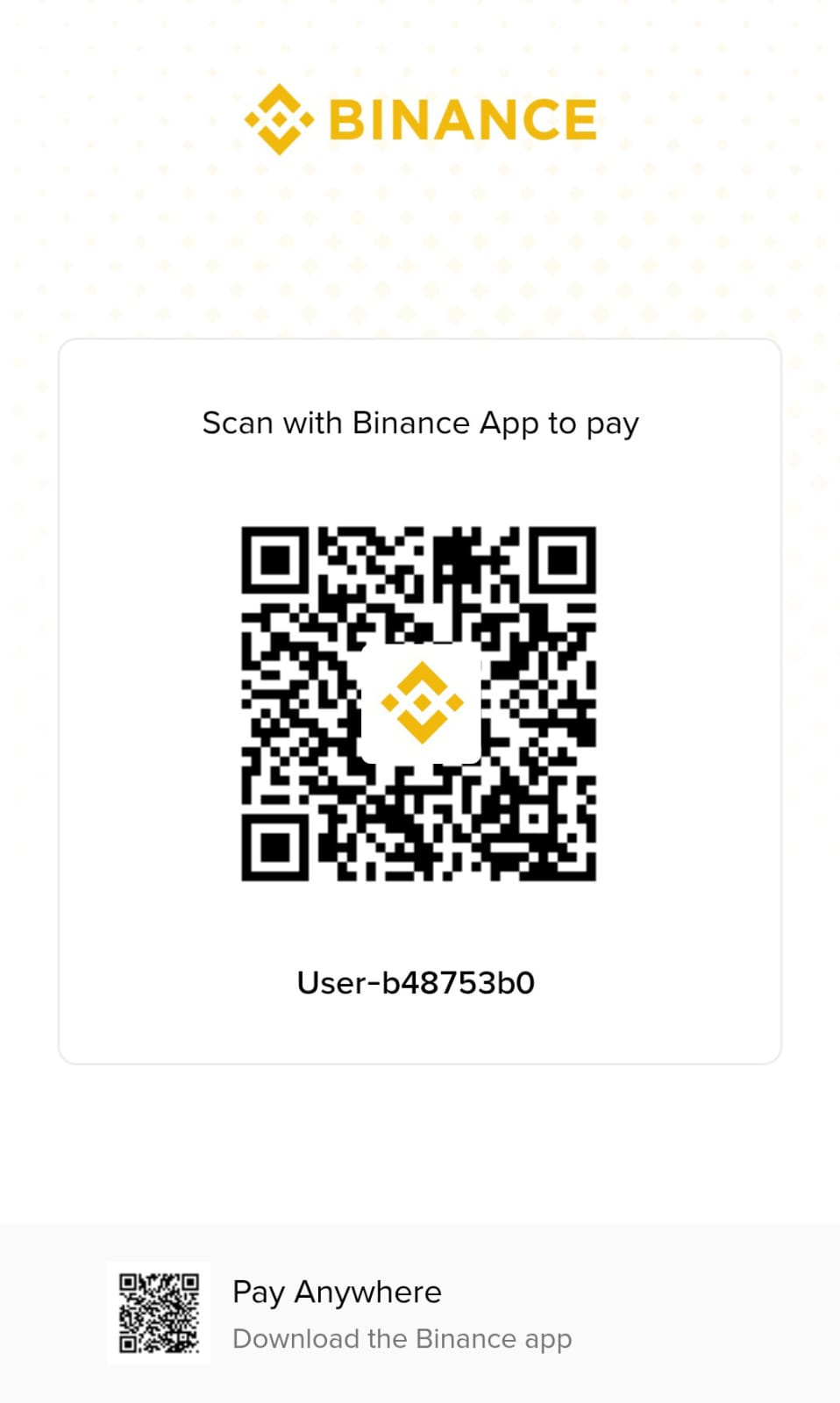
Binance Pay QR Code

Open Binance App → Pay → Scan

How to Send Money

Detailed step-by-step instructions for each payment method

EasyPaisa

EasyPaisa

1

Open the EasyPaisa mobile app on your phone, or visit any nearby EasyPaisa retailer/agent shop.

2

From the main menu, select "Money Transfer" and then choose "EasyPaisa Account" (or "Send Money to EasyPaisa").

3

Enter the recipient's mobile account number: 03462801363

4

The app will automatically display the account holder's name: MUHAMMAD YASIR. Please verify this name matches before proceeding.

5

Enter the exact amount you wish to send. Double-check the amount and the recipient's name.

6

Confirm the transaction by entering your 5-digit EasyPaisa PIN code.

7

You will receive a confirmation SMS with a Transaction ID (TID). Take a screenshot of this SMS or the app's success screen.

8

Share the screenshot and Transaction ID with us on our WhatsApp group to confirm your order.

Tip: EasyPaisa transfers are usually instant. If the app shows "Pending", wait a few minutes and check your SMS inbox.

NayaPay

NayaPay

1

Open the NayaPay app on your smartphone and log in using your Face ID or MPIN.

2

Tap on the "Send" button on the home screen, or select "Send Money" from the menu.

3

Choose the transfer method "NayaPay to NayaPay".

4

Enter the recipient's NayaPay ID: muhammad.306529@nayapay

5

Verify the recipient's name appears as MUHAMMAD YASIR. Confirm this matches before continuing.

6

Enter the amount you wish to send. NayaPay-to-NayaPay transfers are free of charge with no transaction fees.

7

Review all details, then authenticate and confirm the transaction using your Face ID or MPIN.

8

You'll see a success confirmation with a Transaction ID. Take a screenshot of this screen.

9

Share the screenshot with us on our WhatsApp group so we can process your order immediately.

Tip: NayaPay transfers between NayaPay users are instant and completely free. Keep your app updated for the best experience.

Binance

Binance Pay

1

Open the Binance App on your phone and log in to your account. Make sure your app is updated to the latest version.

2

Tap the "Pay" icon (usually at the top of the home screen) to enter Binance Pay.

3

Option A: Tap "Scan" and scan the QR code shown on this page.

4

Option B: Tap "Send" and enter the Payee ID: User-b48753b0

5

Verify the recipient's name matches SKILLVEXA or the account holder name shown on your screen.

6

Select the currency you want to pay with — PKR, USD, or USDT (TRON TRC20 only).

7

Enter the amount. The app will show you the exact amount in your selected currency.

8

Confirm the transaction and complete the security verification (2FA / fingerprint / Face ID).

9

You'll receive a payment confirmation with a Transaction ID. Take a screenshot of this confirmation screen.

10

Share the screenshot with us on our WhatsApp group to confirm and process your order.

Important: Only PKR, USD, and USDT (TRON TRC20) are accepted. Do not send any other cryptocurrency — transactions with unsupported coins cannot be processed or refunded.

Frequently Asked Questions

Quick answers about our payment process

Which payment method should I use?

For local Pakistan transfers, EasyPaisa and NayaPay are fastest. For international or crypto payments, use Binance Pay with PKR, USD, or USDT (TRON TRC20). All methods are secure and processed instantly.

How do I confirm my payment?

After sending payment, take a screenshot of the transaction and share it on our WhatsApp group. We'll verify and process your order immediately.

Which cryptocurrencies can I send via Binance Pay?

Only PKR, USD, and USDT (TRON TRC20) are accepted. Any other cryptocurrency will not be processed and may be lost — please double-check before sending.

Are there any hidden fees?

No hidden fees from our side. However, your payment provider may charge standard transaction fees. NayaPay transfers between NayaPay users are free, and most Binance Pay transactions have minimal or no fees.

Is it safe to share my payment screenshot?

Yes. We only need the transaction screenshot for verification. Never share your PIN, OTP, or password with anyone.

Need Help with Payment?

Our team is available to guide you through any payment method.

Chat with Us on WhatsApp

Chat only – no voice calls

Claim Your Reward